If you are choosing an a long flight Aircraft, start with the decision that matters most: do you need a working starting plane, a different aircraft you can spawn from a pass, or an upgrade for fuel, storage, or navigation? The evidence confirms five named aircraft or aircraft skins, but it does not provide a complete performance chart. That means the safest comparison is based on access and documented function—not an unsupported claim that one plane is faster or tougher.
Aircraft decision guide
- Starting route: use Rusty and repair it before trying to fly.
- Direct spawn: Dust Comet, Tumbleweed, and Grasshopper each have a documented 299 Robux Game Pass.
- Appearance: Halloween Limited Skin is documented at 799 Robux; a performance change is not confirmed.
- Practical setup: add fuel capacity, cargo storage, or navigation only after considering the weight.
Confirmed aircraft and skins
The following list separates how an aircraft is obtained from what its performance actually proves. The three 299 Robux entries can be spawned after purchase, but the supplied records do not establish a speed, durability, or range ranking.
Aircraft and skin comparison
| Aircraft or skin | Documented access | What is confirmed | Not verified |
|---|---|---|---|
| Rusty | Starting aircraft in the hangar | Repairable starting route | Speed, durability, and exact fuel capacity |
| Dust Comet | Game Pass, 299 Robux | Can be spawned after purchase; also reported as findable in the map | Performance advantage and a confirmed free location |
| Tumbleweed | Game Pass, 299 Robux | Can be spawned after purchase | Performance advantage and a confirmed free location |
| Grasshopper | Game Pass, 299 Robux | Can be spawned after purchase | Performance advantage and a confirmed free location |
| Halloween Limited Skin | Game Pass, 799 Robux | Limited Halloween appearance | A change to aircraft performance |
Do not treat the Game Pass price as a stat. If you are deciding whether to buy one, the supported benefit is the direct spawn or access route. A live in-game check is still needed for current availability because the game is in Early Access and shop contents can change.
How to get Rusty ready to fly
Rusty is the most useful first route because its preparation sequence is documented. Work through the aircraft in this order:
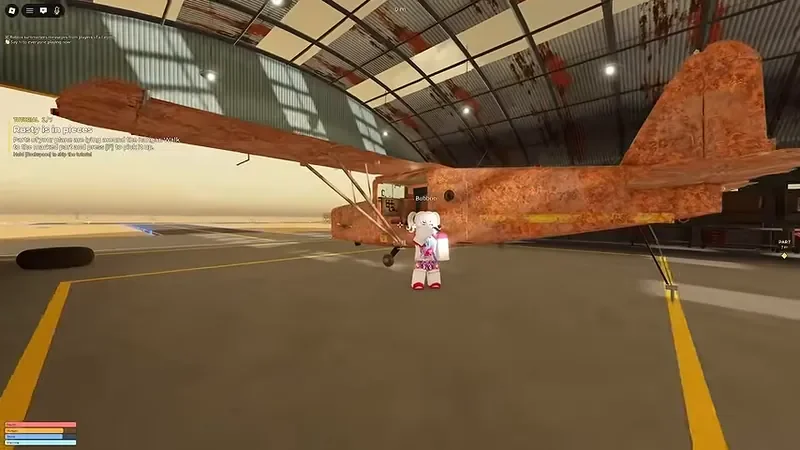
Rusty 是机库中需要修复并准备起飞的起始飞机。
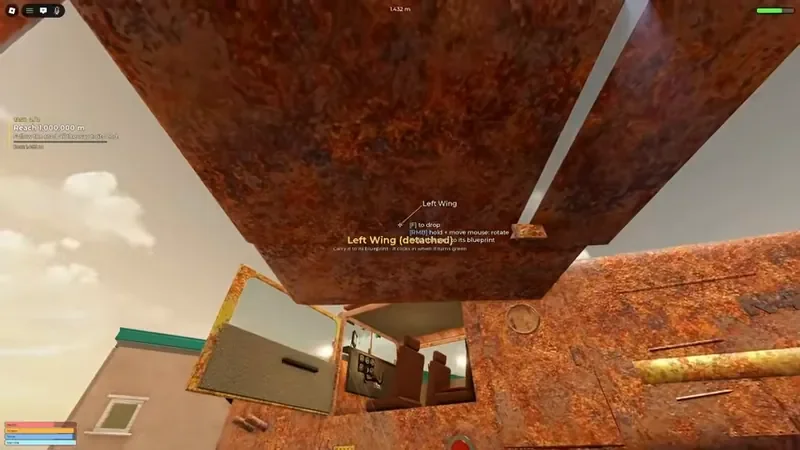
安装缺失的机翼等部件后,Rusty 才能继续进行起飞准备。
- Inspect the hangar aircraft. Look around Rusty for detached or missing parts, such as a wing, door, or propeller.
- Install the parts. Pick up a matching part and use the interaction prompt—recorded as
Fin the supplied evidence—to attach it to the aircraft. - Fill the fuel tank. Add kerosene at the fuel cap. Fuel affects how long the aircraft can remain in the air, so do not leave on an empty tank. The fuel guide covers reserves and low-fuel recovery.
- Fit the ignition. The engine-start sequence requires ignition before the engine can be started.
- Enter the cockpit and start the engine. Once the aircraft is assembled and fueled, take the pilot seat and use the engine control.
- Taxi before takeoff. Release the parking brake and use the throttle to move toward a runway, airport, or suitable dirt strip. Takeoff and landing conditions can vary by location.
Start Rusty and taxi the aircraft
This moment supports the documented ignition and parking-brake steps for starting Rusty and preparing for takeoff.
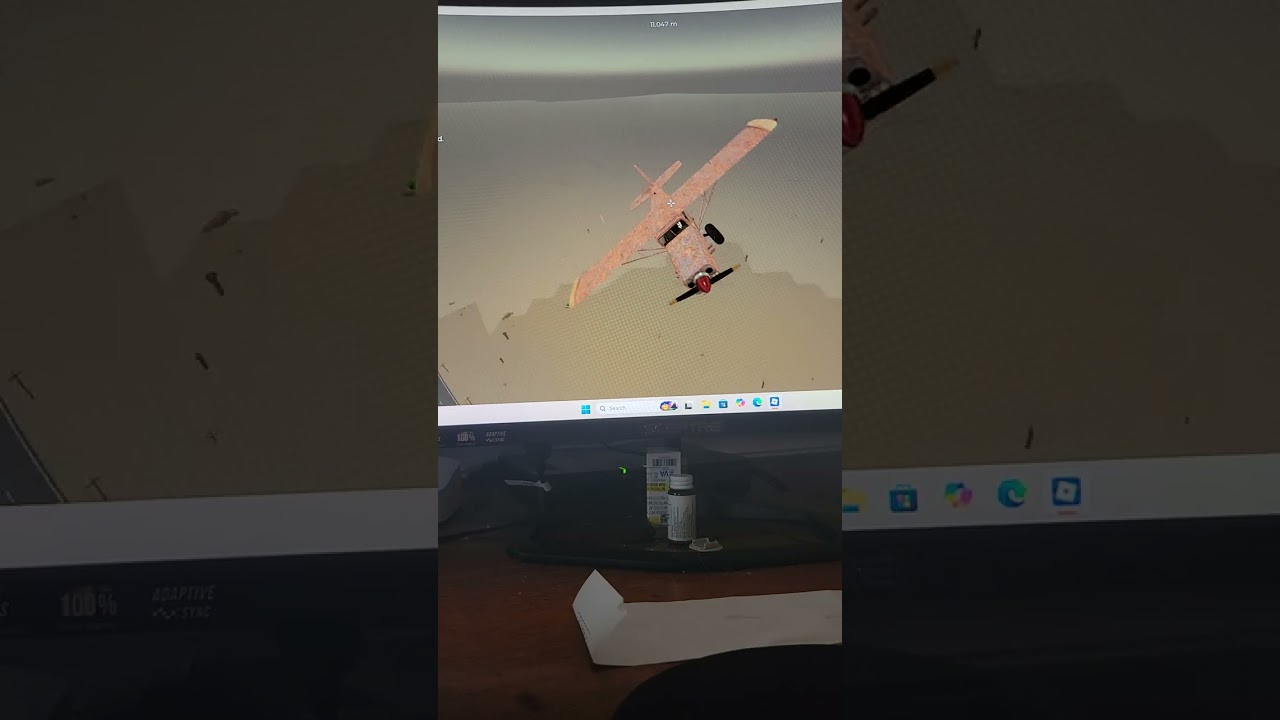
If the engine does not start, check the sequence rather than repeatedly using the control: missing parts, missing fuel, and missing ignition are separate preparation failures. Video evidence also shows the propeller being spun during an engine-start attempt, but the exact current interaction should be confirmed in the live client.
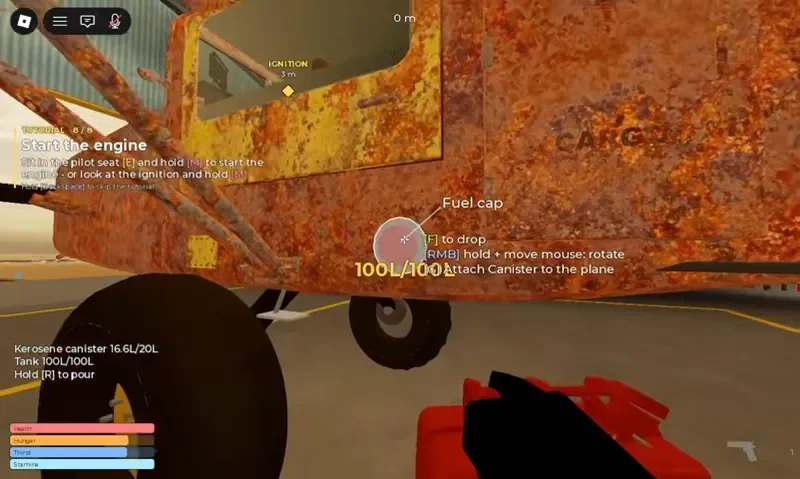
在 fuel cap 处加入 kerosene,为飞机提供飞行所需的燃料。
Choose upgrades by the job
Sandbox can generate and test eight aircraft upgrades. The table below uses the recorded weights where they are available and avoids turning suggested effects into guaranteed stats.
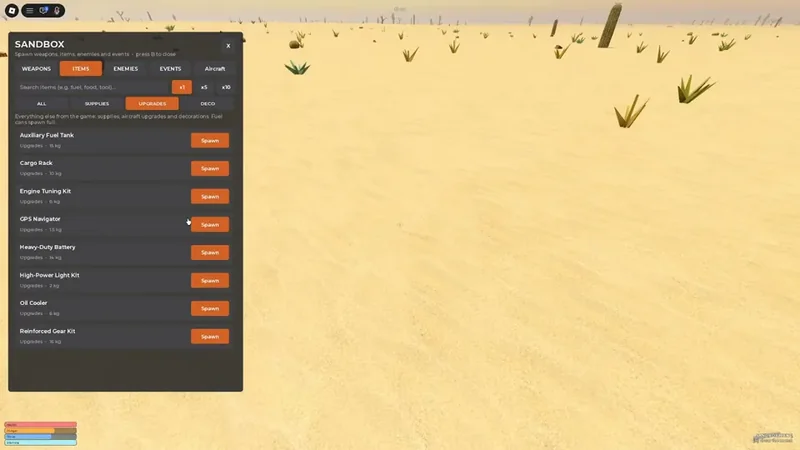
Sandbox 可用于生成并测试飞机升级。
Aircraft upgrade tradeoffs
| Upgrade | Recorded weight | Documented or reported use | Decision note |
|---|---|---|---|
| Auxiliary Fuel Tank | 15 kg | Increases fuel capacity | Useful for longer flights, but it is the heaviest recorded upgrade |
| Cargo Rack | 10 kg | Adds storage for jerrycans, food, and loot | Choose it for transport; do not treat added storage as free capacity |
| Engine Tuning Kit | 6 kg | Intended to improve engine performance | The exact improvement is not verified |
| Heavy-Duty Battery | Not documented | Reinforces the electrical system and may help starting | The exact effect is not verified |
| GPS Navigator | 1.5 kg | Adds a map screen in the cockpit | The lightest recorded upgrade and a clear navigation choice |
| High-Power Light Kit | Not documented | Aircraft upgrade for lighting | Effect and weight are not verified |
| Oil Cooler | Not documented | Aircraft upgrade | Effect and weight are not verified |
| Reinforced Gear Kit | Not documented | Aircraft upgrade | Effect and weight are not verified |
The practical rule is to match the upgrade to the trip. Use the Auxiliary Fuel Tank when extra fuel matters more than mass, the Cargo Rack when you are deliberately transporting supplies, and the GPS Navigator when route awareness is the problem. Sandbox is the appropriate place to compare handling, load, and fuel behavior; the supplied evidence does not contain a complete test table for those results. Use the Sandbox testing guide to set up those comparisons.
Fly, navigate, and recover
Aircraft connect distant desert areas such as roads, the motel, gas station, ranch, mountains, and dirt strips. Before taking off, identify a landing option and keep enough fuel for the route rather than planning only for the outbound leg. A GPS Navigator can put a map screen in the cockpit, but the evidence does not document a full route map or guaranteed destination markers.
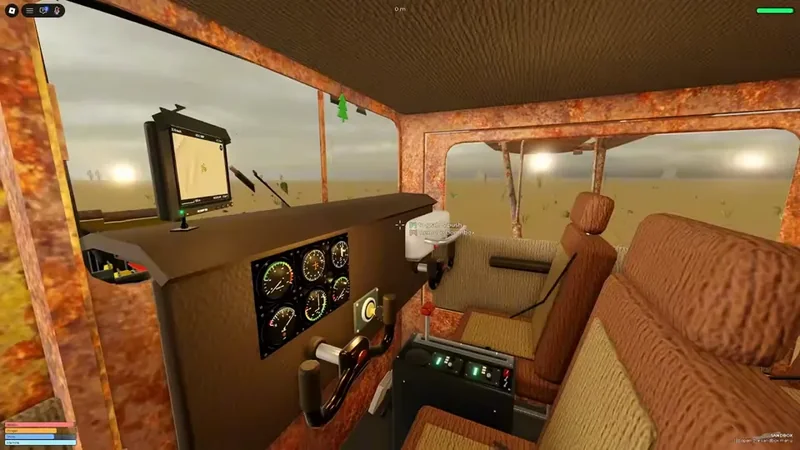
GPS Navigator 会在驾驶舱中增加地图导航屏幕。
Treat the aircraft as part of the survival loop. Fuel, cargo, and upgrades affect the plane's weight, while crashes, bad weather, an engine stopping, and hostile aircraft attacks can leave it damaged. Aircraft guidance should not be confused with the separate Combat system: enemy aircraft seen during an encounter are not additional confirmed player aircraft in the collection.
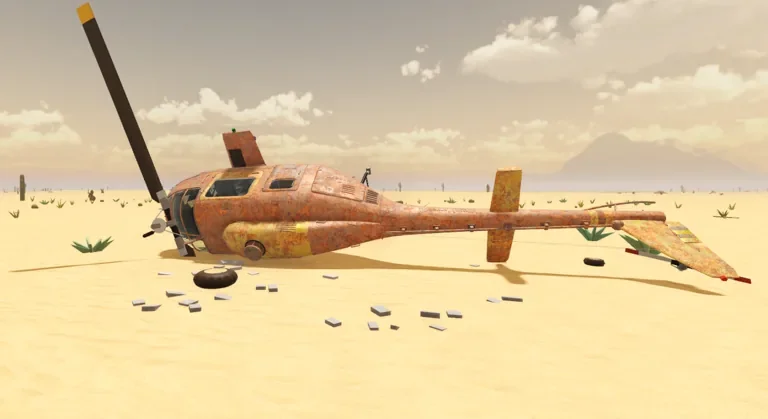
事故等危险可能导致飞机坠毁并受损,需要优先寻找安全地点。
If the plane becomes unsafe, prioritize a nearby runway, airport, or dirt strip over continuing the planned route. The records support repairing, replacing, or landing near a safe location as responses to damage, but they do not document a universal repair cost or a guaranteed emergency-landing result.
FAQ
Is Rusty free?
Rusty is the documented starting aircraft in the hangar. Its exact economy cost is not stated; the supported requirement is to repair and prepare it before flight.
Can I find the paid aircraft for free?
Dust Comet is reported as potentially findable in the map as well as available through its Game Pass. The supplied evidence does not confirm free map locations for Tumbleweed or Grasshopper, so check the live game rather than relying on an assumed route.
Which upgrade should I install first?
Choose by purpose: GPS Navigator for navigation, Auxiliary Fuel Tank for additional fuel capacity, or Cargo Rack for carrying supplies. There is no evidence-backed universal best upgrade, and the added weight matters.
Are the aircraft stats known?
Not completely. Exact speed, durability, fuel capacity, handling, and the numerical effects of most upgrades remain unverified in the supplied evidence. Use Sandbox or the current game client to test them.