A Long Flight Sandbox guide
The A Long Flight Sandbox is a controlled test area for creating aircraft, supplies, weapons, enemies, and hazards without waiting for them to appear during a normal flight. The useful way to play it is to build one test at a time: spawn the object you want to examine, trigger the relevant event, and reset the weather or scene before starting another test.
What the Sandbox menu contains
The SANDBOX menu is organized by the kind of test you want to run. The documented examples below are a practical starting set, not a claim that every entry in the Enemies or Aircraft tabs is known.
| Menu or item | Use it to test | Notes |
|---|---|---|
| Weapons | Weapons and ammunition | Confirmed examples include Pistol, Pistol Ammo, RPG Rocket, and RPG-26 Launcher. |
| Items | Supplies, upgrades, and decorations | Filters include All, Supplies, Upgrades, and Deco; x1, x5, and x10 quantities are documented. |
| Enemies | Enemy encounters | Zombies are confirmed; the complete enemy list is not documented. |
| Events | Weather, aircraft failures, tornadoes, and world events | This is the main tab for repeatable emergency tests. |
| Aircraft | Aircraft-related spawns | The complete list of entries is not documented. |
| Fuel can | Fuel and supply testing | A spawned fuel can is documented as full. |
| Aircraft upgrades | Upgrade testing | Eight upgrade entries are documented as Sandbox-spawnable; their individual effects belong to their own upgrade descriptions. |
The rows separate menu categories from individual examples. Use the category first, then choose the smallest spawn that answers your question; spawning several unrelated objects makes a later failure harder to diagnose.
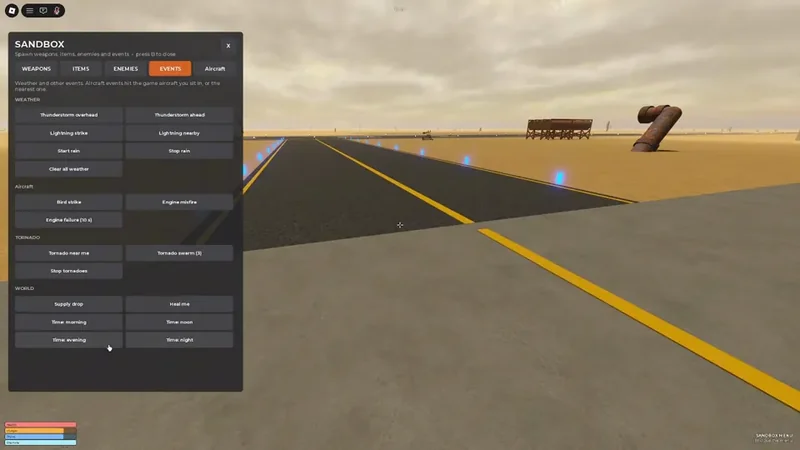
The Events tab groups weather, aircraft events, tornadoes, world events, and time controls for repeatable tests.
How to build a flight test
- Enter
Sandboxand open theSANDBOXmenu. The menu prompt documentsBas the close key, but the key used to open the menu is not fully confirmed. - Choose
AircraftorItemsand create the plane, plane part, fuel can, or upgrade you want to examine. - Use the flight controls to start, taxi, take off, turn, and land. Begin with a clear flight before adding a hazard.
- Open
Eventsand select one event that matches the test: rain for visibility, a lightning event for electrical danger, or an aircraft event for an emergency drill. - Record what changes in the aircraft or flight. Do not treat a subtitle demonstration as a complete control guide or as proof of an exact damage value.
- End the test with
Clear all weather,Stop tornadoes, or a time-of-day option when appropriate.
This order gives you a clean baseline, a single variable, and a recovery action. It is safer and easier to repeat than spawning a plane, weapon, enemy, and tornado at the same time.
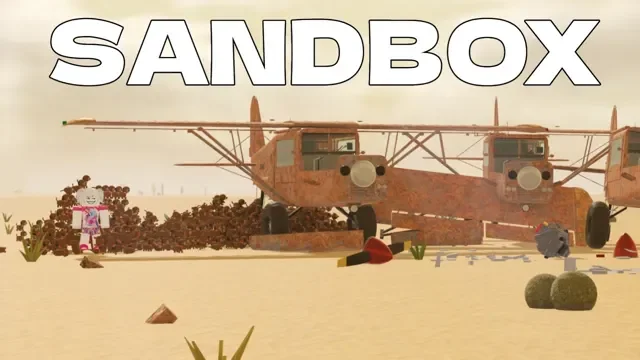
Sandbox lets you spawn and test multiple aircraft in the desert environment.
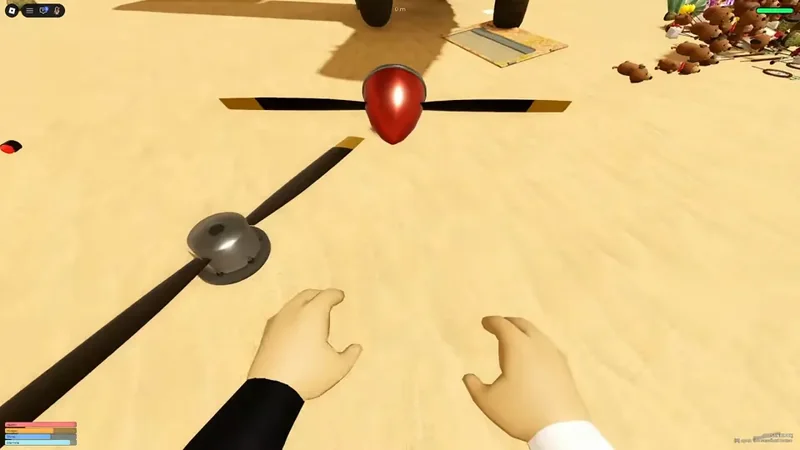
Aircraft propellers, parts, and other objects can be generated for flight tests.
Best Sandbox tests to run
Practice an engine emergency
Spawn an aircraft, get it to a low and recoverable altitude, then use Engine misfire or Engine failure (10 s) from Events. Practice keeping the aircraft moving, finding a flat landing area, and landing without adding a second hazard. The documented event behavior can affect the plane you are in or the nearest plane, so verify which aircraft is closest before triggering it.
Test weather and visibility
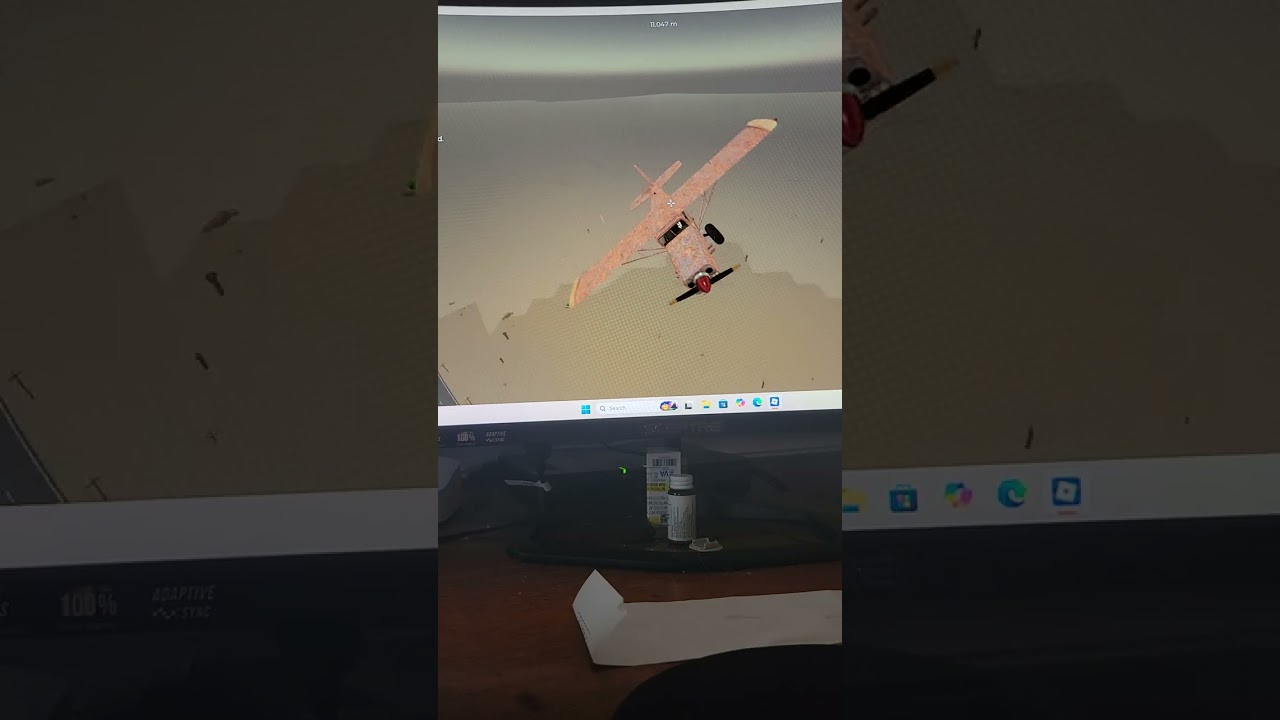
Use Start rain, Thunderstorm ahead, or Thunderstorm overhead one at a time. Add Lightning nearby or Lightning strike when you want to examine a direct electrical hazard. A recorded demonstration reports lightning striking a plane and causing a loss of power, but the exact probability, damage, and recovery requirements are not documented.
Testing lightning hazards in A Long Flight Sandbox
This moment supports the lightning test by showing lightning strike the plane and cause a loss of power, while the exact damage and recovery rules remain undocumented.
For a stronger avoidance drill, use Tornado near me or Tornado swarm (3). The swarm is documented as three tornadoes, but their exact spawn positions are not confirmed. Use Stop tornadoes when the test is over.
Testing tornado events in A Long Flight Sandbox
This moment supports the tornado avoidance drill by showing a tornado being spawned and tested in Sandbox.

Test supplies and upgrades
Open Items, select the appropriate filter, and use x1 first. A full fuel can is useful for checking a fuel-related interaction without first creating a shortage. Aircraft upgrades can also be spawned for testing; compare one upgrade at a time and do not assume that an upgrade's name alone proves its effect.
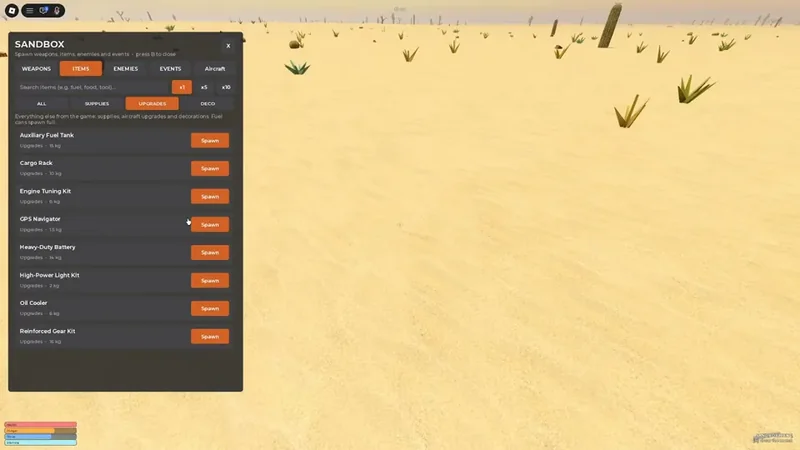
The Items menu can generate aircraft upgrades so you can test them one at a time.
Test combat interactions
Spawn Pistol with Pistol Ammo, or spawn RPG-26 Launcher with RPG Rocket. Add a confirmed zombie through Enemies only after the weapon test is ready. The available evidence supports the spawn relationships, but not exact weapon damage or a complete enemy roster.
Reset and recovery
Use Clear all weather after rain or storms, and Stop tornadoes after tornado testing. Time options—morning, noon, evening, and night—let you return to a chosen lighting condition. Heal me can restore the player's state for another attempt.
If the area becomes crowded with spawned objects, rejoining may be necessary, but the exact cleanup behavior is not documented. Sandbox is documented as an on-demand testing environment; whether spawned items persist into ordinary flights, whether Sandbox is separate from normal mode, and whether it is available to every player are not established here.
FAQ
What is the fastest first test?
Spawn one aircraft or fuel can, complete a short clean flight, and then trigger one event such as Engine failure (10 s). This gives you a baseline and a recoverable emergency without mixing several unknowns.
Does Sandbox unlock permanent upgrades?
No permanent unlock is established by the available documentation. Treat generated upgrades and supplies as test objects unless the game itself confirms a progression change.
Which key opens the Sandbox menu?
The opening key is not fully confirmed in the available documentation. Once the menu is open, B is documented as the close key.